This Trending Etsy Product Takes 30 Minutes to Make... And Buyers Are Going Crazy for It
Baby shower website invites are trending on Etsy. Here is exactly how I research a sub niche, make clipart with AI, build the animated Canva site, preview the template link, and knock out Mockably mockups in minutes.
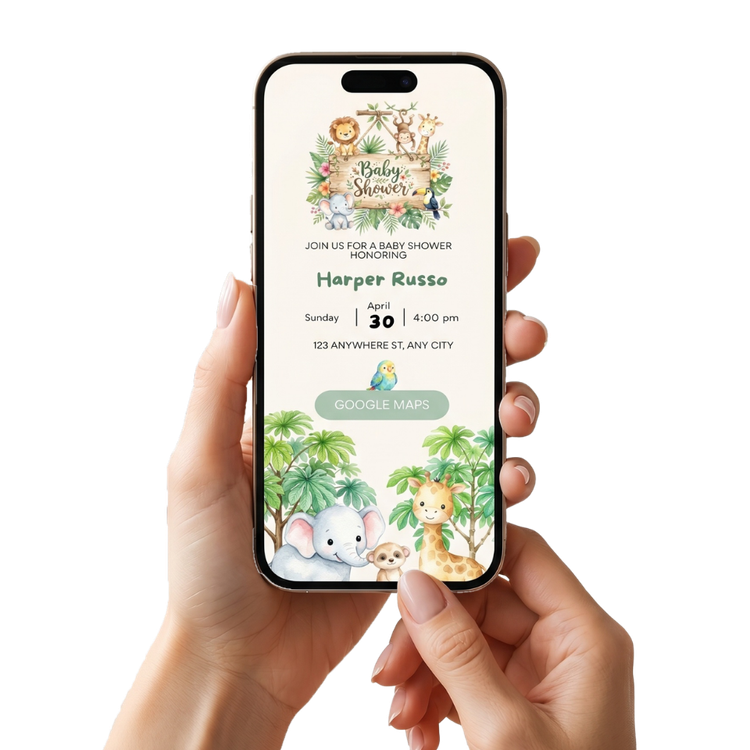
Have you seen this product on Etsy yet? Because if you sell printables and you have not jumped on this yet... you really need to read this. Baby shower website invites. Digital. Animated. Made inside Canva. And right now they are flying off the shelves. I am talking products sitting in 19... 20... baskets at the same time. Best seller badges. High demand and still low competition in a lot of sub niches. Let me show you exactly how I make these from start to finish. ✨
First... What Even Is a Baby Shower Website Invite?
Good question. It is basically a mini website built inside Canva that works as a digital invite for a baby shower. Instead of a paper invite... the host shares a link. Guests click it and they land on this beautiful animated page with all the details. The venue, the gift registry, the RSVP button... everything in one place. It is modern. It is pretty. And buyers absolutely love it right now.
Step 1: Research Your Sub Niche First
Before you create anything... do your research.
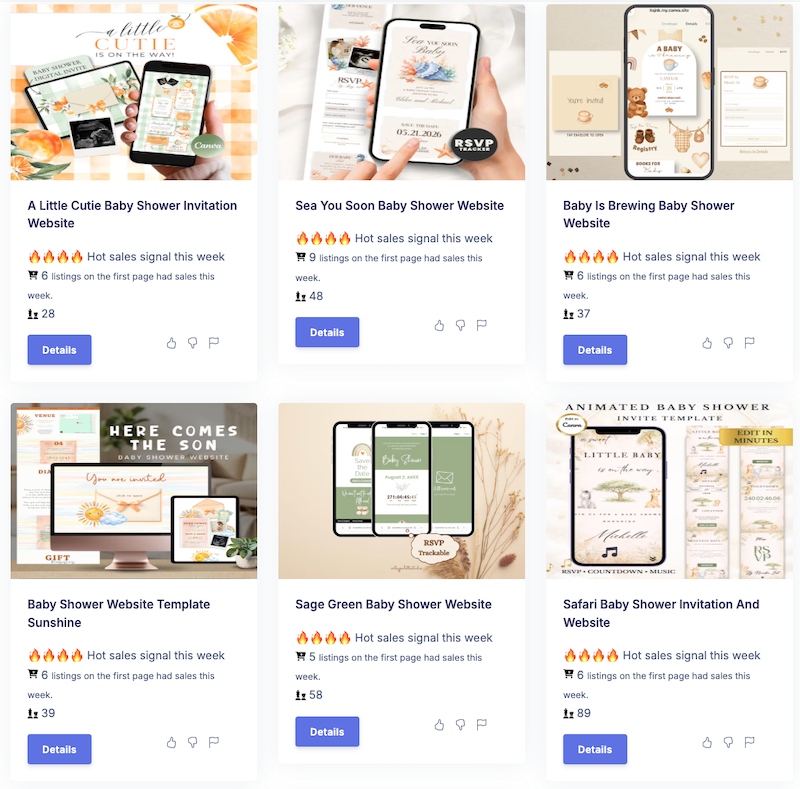
I use Insight Factory for this. When I searched for baby shower website invites I found so many good opportunities.
For example one sub niche had only 21 competitors on Etsy and 5 listings on the first page with sales that week. That is tiny competition. That is the kind of number you want to see when you are a newer shop trying to get momentum.
The trick is to find the themed sub niches. Not just baby shower invite website but the specific themes like safari animals, little pumpkin, honey bee, jungle... Each of those is its own little opportunity with way less competition than the broad search.
Step 2: Create Your Clipart With AI
Now you need the actual artwork for your invite. I use my prompt library for this and I generate the clipart in Google Flow and Nano Banana.
For a baby shower theme you want things like cute animals like giraffes and lions. Fun elements like envelopes and stamps. Things that match the theme of the invite you are creating. Create a few of each. Give yourself variety to play with when you are designing.
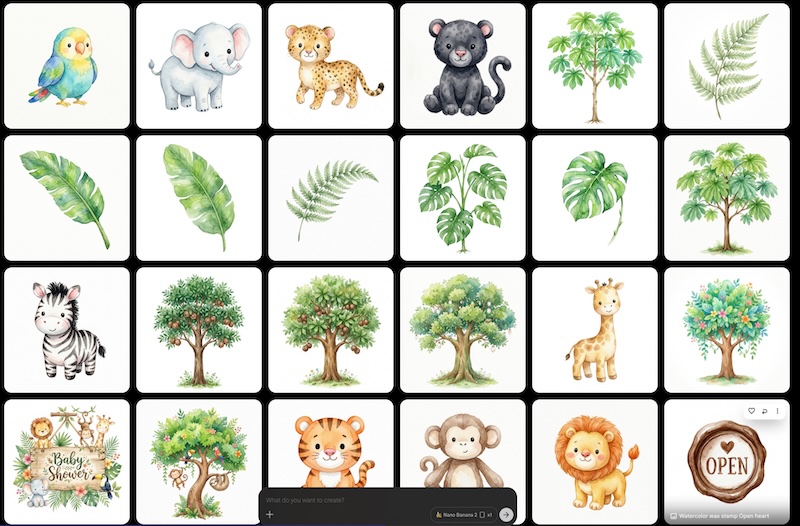
Once they are generated... download everything and upscale using Topaz Gigapixel. This step is so important. You want your images sharp and high quality before you start placing them into your design.
Step 3: Build the Website Invite in Canva
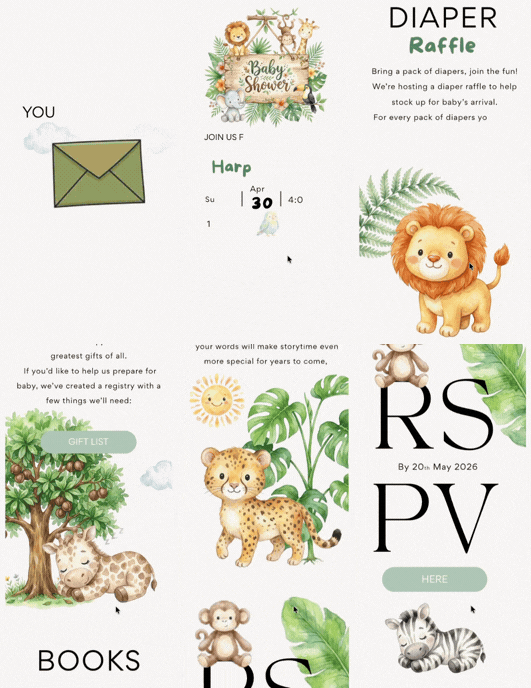
This is where the magic happens. I have a Canva template I built for this exact product. It has all the pages you need already set up... The landing page with the envelope reveal. The actual invite page. The diaper raffle page. The gift registry. Books for baby. And the RSVP.
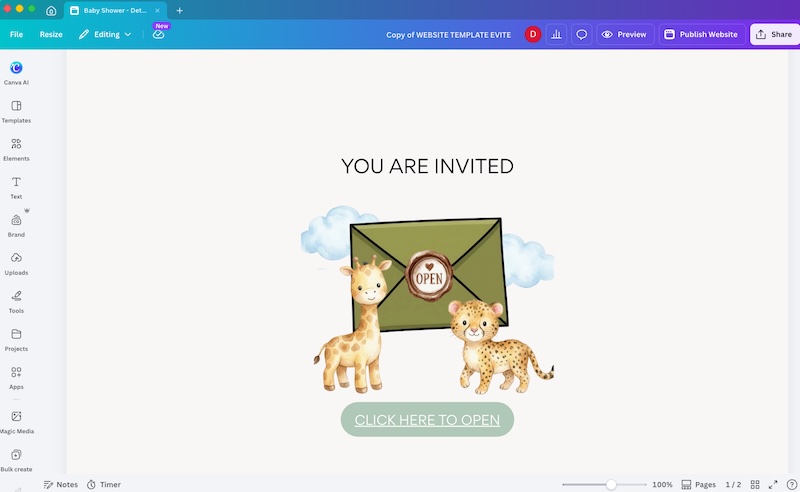
Here is the most important rule when building this... Everything must stay inside the square frame. If any element goes outside the frame it will not work properly when shared as a website. So take your time placing each element and cut anything that goes over the edge.
Once all your clipart is placed... go through and add animations to your text and elements. Click on any element, click animate, and choose your animation style. This is what makes these invites feel so special when buyers open the link.
Step 4: Preview It and Set Up the Template Link
Before you do anything else... click preview and check how it looks on mobile. Most buyers will view it on their phone so this is really important.
Happy with how it looks? Now you set it up as a template. Go to Share... then click Copy all... then Template link. That template link is what you will send to your buyer. They open it, go into Canva, and can change all the details themselves. The names, the date, the address, the links to their gift registry and RSVP... everything is editable.
Easy for you. Easy for your buyer. Everyone is happy.
Step 5: Create Your Mockups Super Fast With Mockably
Now you need gorgeous mockups for your Etsy listing. And this is where Mockably saves the day. Mockably is an AI tool that creates mockups in about 30 to 40 seconds. I am not exaggerating.
Here is what I do... Take a screenshot of your invite preview on the Canva mobile view. Then go into Mockably and choose AI Catalog Mockups. Select Printables, then Invite, then choose iPhone 16. Upload your screenshot, set the theme to baby shower, choose indoor... and generate.
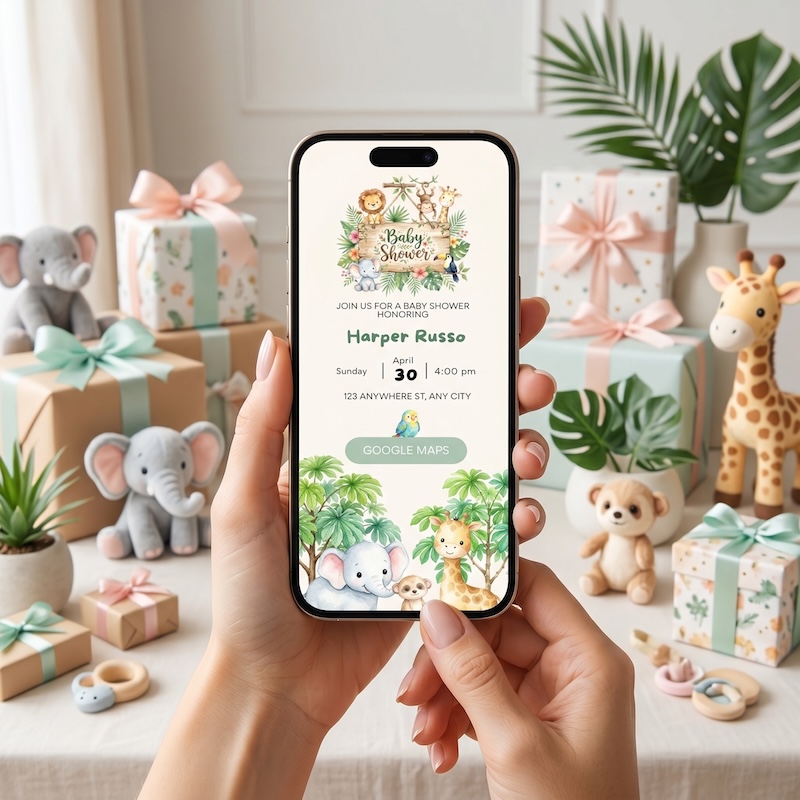
You can also generate a version with someone holding the phone. Or a front view. Do two or three different mockups so your listing looks full and professional. The whole mockup process takes a few minutes. That is it.
What to Give Your Buyer
When someone purchases you simply send them... The template link so they can personalise everything in Canva. And a quick guide explaining how to change the names, date, address, and how to link their gift registry or RSVP form. It is that simple. No printing. No files to download. Just a link and they are sorted.
Want the Template?
I built the Canva template I use for this exact product. Pop your name and email in below so I can add you to the list, then tap Open to grab the template in Canva and make a copy. 👇
Access link for the baby shower website invite Canva template after email signup.
And if you want to learn more about how I create clipart, clean it, package it and sell it on Etsy... come join my community The AI Creator Lab. I go into detail on everything and I do a live create with me session almost every week where I share new tips and tricks. ✨
Watch the tutorial on YouTube
The AI Creator Lab
Full prompt library, course, tools, and a private community. Cancel anytime.