How to Create Stained Glass Templates for Etsy Using AI (Step by Step)
Stained glass printables are trending on Etsy with room to grow. Here is the full workflow I use: Canva AI, Tracer, your template, and mockups in Mockably.
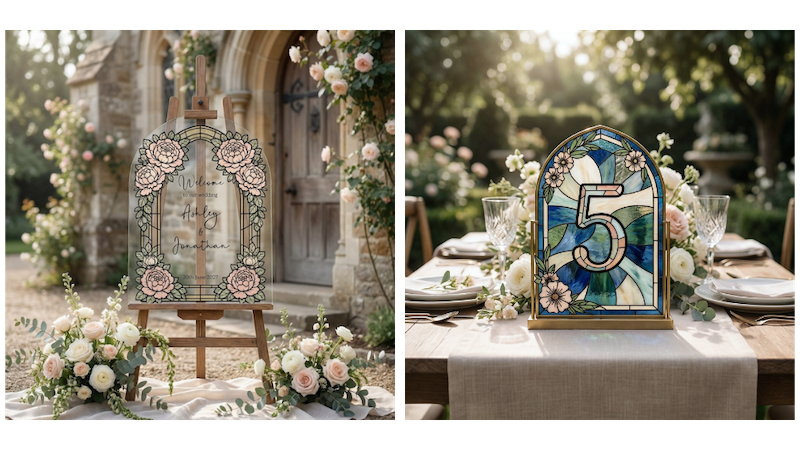
Have you heard about stained glass templates yet? Because if you have an Etsy shop and you sell printables... this is a product you really want to pay attention to right now. It is trending. It is low competition. And it is actually really easy to create once you know the steps. Let me show you exactly how I do it. ✨
A quick note because a lot of people see these listings and are not sure what they are actually for. The download is a template you slide under a piece of glass. You trace the lines... then you paint on top with glass paint. It is not really meant to be printed and used as art on paper. The mockups are there to show how it looks after you have painted it on glass with light shining through. 🙂
Why Stained Glass Templates Are Such a Good Opportunity
When I was looking at Etsy recently I could see stained glass products popping up everywhere. Popular now badges. Best seller tags. Items sitting in 20 plus baskets at the same time... That is not a coincidence. That is a trend. And when I went into Insight Factory to check the data... it confirmed everything.
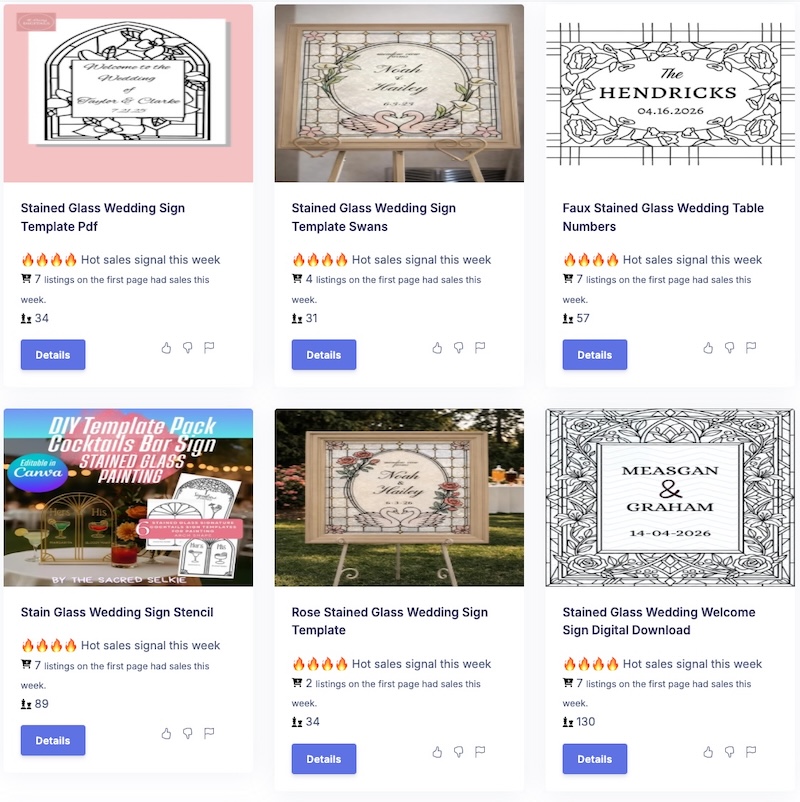
For example the stained glass wedding welcome sign had only 114 competitors on Etsy. And 41 listings on the first page had sales that week. The stained glass table numbers had only 46 competitors. And 12 were sold recently. Those numbers are really good. Especially if you are newer to Etsy and trying to build momentum in your shop. Low competition and high demand is exactly the sweet spot you want to find.
Step 1: Generate Your Stained Glass Image With Canva AI
The first thing you need is the actual stained glass image. And you are going to use Canva to create it. I have put together a list of prompts you can use. You have some for welcome signs and some for table numbers. All you need to do is change the number in each prompt to get a different design.
Just open Canva or ChatGPT Image, go to the AI image generator, paste your prompt in and hit create. It will give you a few options to choose from. The most important thing to look for is that the lines are bold and clear. Not faint or blurry. The lines need to be strong because this is a stained glass design and the whole point is that clean outline for colouring.
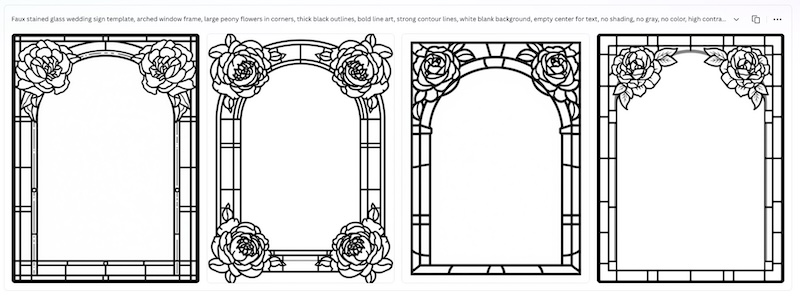
Pick your favourite result and download it to your computer.
Step 2: Trace It Inside Canva
Now upload your image back into a new Canva design. The next step is using an app inside Canva called Tracer. You can find it by going to Apps and searching for Tracer.
Here is what you do... Open Tracer, select your image, choose black and white, and click trace image. What this does is convert your image into an SVG file. That means much better quality and much cleaner lines. Perfect for a template your buyers will actually use.
Step 3: Design the Template
Now this is the fun part. You are going to add the actual wording to the design. For a wedding welcome sign for example you would add... Welcome to our wedding at the top in a beautiful romantic font. Something like Gratitude works really nicely. Then underneath add the couple names a little bigger and bolder. And then the date at the bottom.
Make sure everything is centred and spaced nicely. Take your time here because this is what your buyer is paying for.
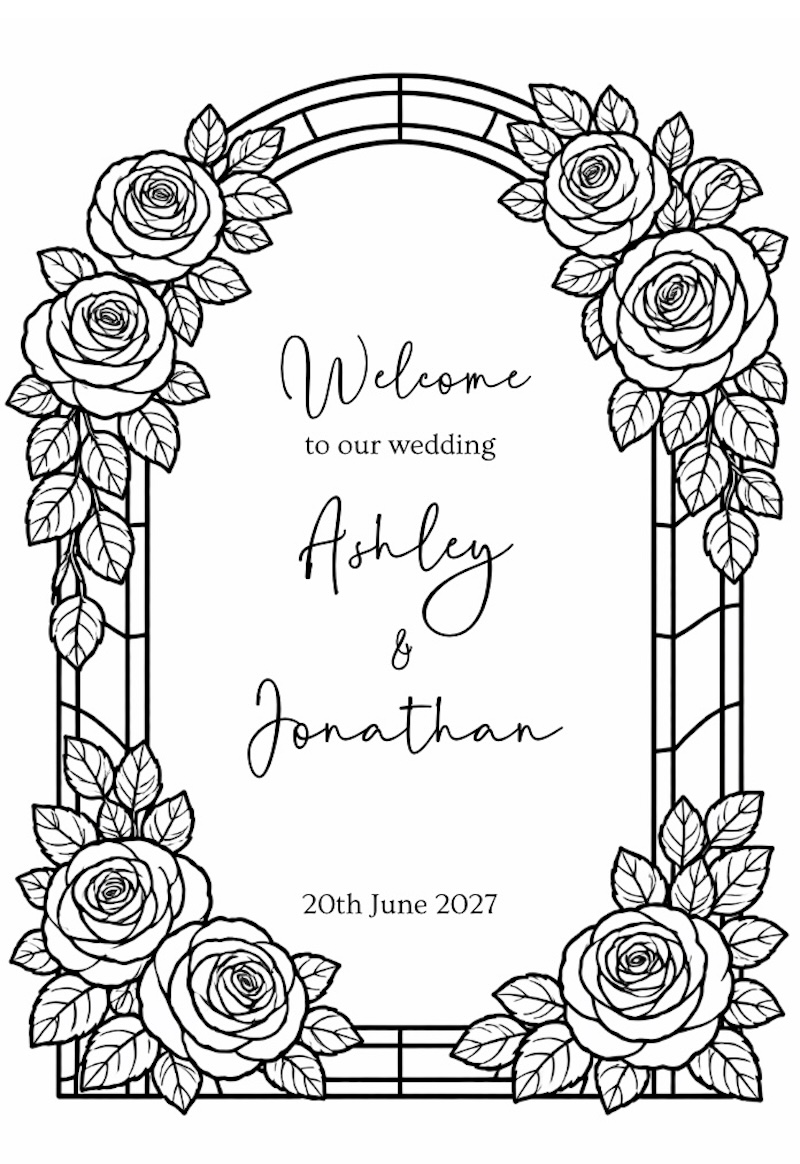
For the table numbers you do exactly the same process. Trace the image, add the number in a nice font, centre it, and save. When you save... save it as a JPG for your mockup only. The actual product you will sell as a Canva template link so your buyers can go in and change the names and dates themselves. Easy for them. Easy for you.
Step 4: Create Your Mockups With Mockably
Now you need mockups so your listings actually look amazing on Etsy. For this I use Mockably. It is such a quick and fun tool for creating mockups for printables and print on demand products.
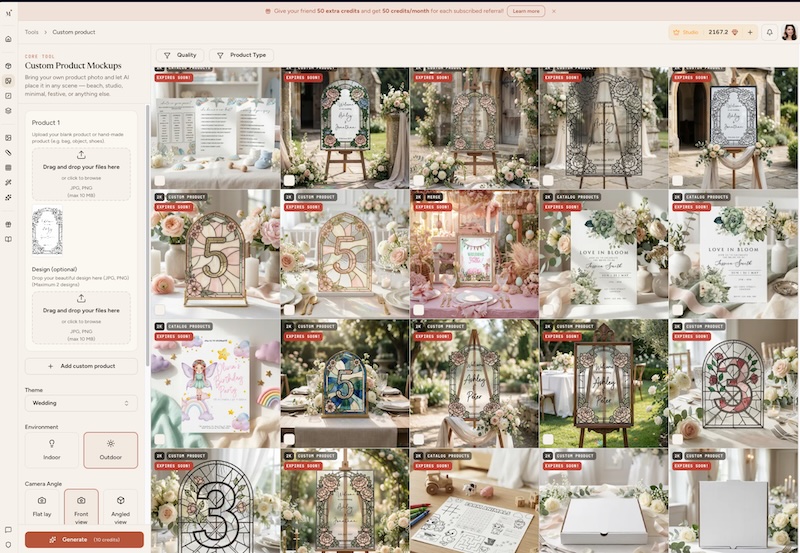
Here is what you do... Go to custom product and upload your welcome sign design. Choose the wedding theme, outdoor scene, front view, square format. Add any extra notes like stained glass welcome sign for a wedding and hit generate.
What comes back is really beautiful. It actually colours the design like real stained glass. It looks like someone painted on top of it. It is perfect for a thumbnail. For the table numbers you do the same thing. Choose indoor this time, wedding theme, and in the extra notes add something like stained glass table number with colours on a wedding table set.
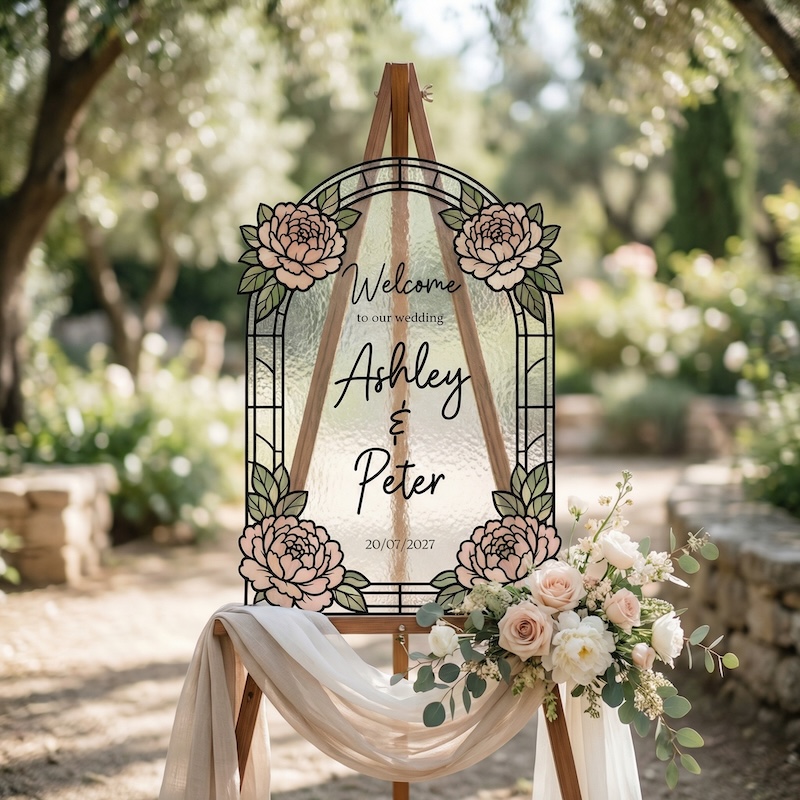
It will colour a few of them in the scene and it looks really lovely. You can even ask it to colour the whole thing to fill in all the glass panels.
The Full Workflow at a Glance
- Research the product on Insight Factory to confirm it is trending and low competition.
- Generate your stained glass image using Canva AI with the prompts I provide.
- Trace it in Canva using the Tracer app.
- Add your text and design the template.
- Save it as a Canva template to share with buyers.
- Create your mockups in Mockably.
- List it on Etsy. Done. ✨
The whole thing is quicker than you think. And once you have done it once you will be flying through these.
Watch the YouTube tutorial
If you like learning on video, here is the full walkthrough on YouTube.
Want the Prompts?
I put together a full list of prompts for both the welcome signs and the table numbers. All ready for you to copy and use. Add your name and email below so I can add you to the list... then use Download to open the full doc in a new tab. 💛
Stained glass style Canva AI prompt list for welcome signs and table numbers.
The AI Creator Lab
Full prompt library, course, tools, and a private community. Cancel anytime.